Common Reasons Your Internet Is Slow in Bangladesh (And How to Fix Them)

Common Reasons Your Internet Is Slow in Bangladesh (And How to Fix Them)

  • 10 views

Slow internet is more than annoying. It wastes time, breaks online classes, ruins meetings, and makes simple browsing painful.

By the end of this guide, you will clearly understand why internet speed in Bangladesh often becomes slow and exactly how to fix each problem step by step.
This is written for real users in Dhaka, Chattogram, Sylhet, Rajshahi, Khulna, Barishal, Rangpur, and all over Bangladesh.

No technical jargon. Only practical solutions.

Why Internet Speed Problems Are So Common in Bangladesh

Bangladesh now has over 130 million internet users. Most rely on shared bandwidth.

In many areas, 1 fiber line is shared by 30–80 homes. During peak hours, everyone fights for the same speed.

That is why a 20 Mbps package may feel like 3–5 Mbps at night.

Understanding the real causes helps you fix the problem permanently.

1. Peak Hour Congestion Is the Biggest Reason the Internet Is Slow in Bangladesh

This is the number one reason the internet is slow in Bangladesh.

What happens during peak hours?

Peak hours in Bangladesh are:

  • 8:00 PM – 1:00 AM

  • Friday afternoon and night

  • During live cricket matches and big events

During these times:

  • Netflix

  • YouTube

  • Facebook

  • Online gaming

All spike together.

Your ISP sells 100 Mbps to 20 users on a 300 Mbps line.
If 10 users stream HD video, speed drops by 60–80% instantly.

How to fix peak hour slow internet

  1. Do speed tests at 3 AM and 10 PM.

  2. If speed drops more than 50% at night, your ISP is overselling.

  3. Ask for a contention ratio below 1:8.

  4. Upgrade to a business or corporate package.

  5. Switch to an ISP with a dedicated backbone.

Check the best ISP for stable internet in Bangladesh.

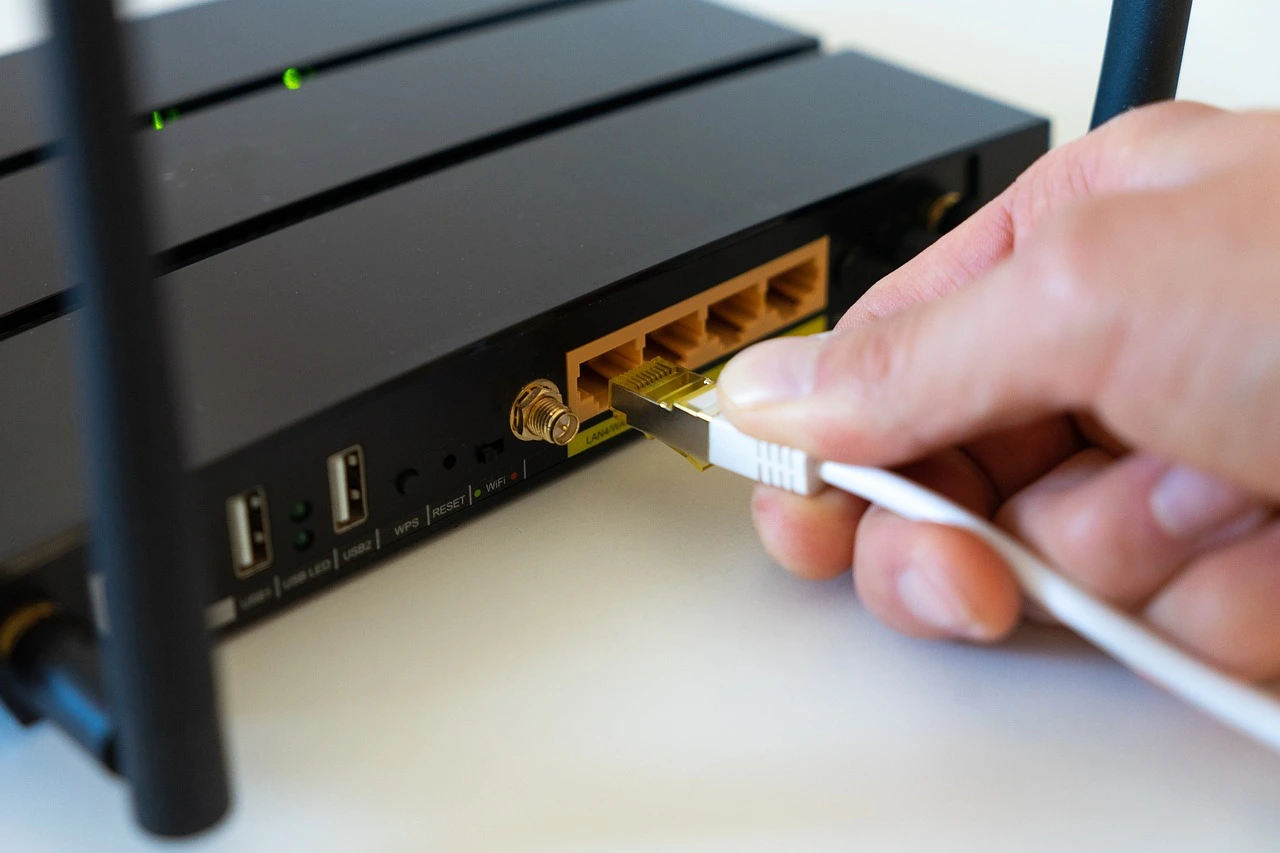
2. Weak WiFi Router Causes Slow Internet in Bangladesh Homes

Many users blame the ISP when the real problem is the router.

Most homes still use BDT 1,200–1,800 routers. These cannot handle modern traffic.

Signs your router is the bottleneck

  • Speed is fast on cable, slow on WiFi.

  • WiFi drops in the next room.

  • Speed falls when 3+ devices connect.

  • The router feels hot.

Cheap routers handle only 20–30 Mbps real speed, even if your line is 50 Mbps.

How to fix router-related slow internet

Upgrade to:

  • Dual-band router (2.4 GHz + 5 GHz)

  • Minimum AC1200 standard

  • 4 external antennas

  • Gigabit WAN port

Good router specs:

Feature

Minimum

WiFi Standard

802.11ac

Speed

AC1200

RAM

128 MB

Antennas

4

Place router:

  • Centre of home

  • 5 feet above the floor

  • Away from microwaves and metal objects

best WiFi router for home in Bangladesh

3. Old or Damaged Fiber Cable in Your Area


In many areas, fiber cables are:

  • Hung on electric poles

  • Tied with plastic rope

  • Exposed to sun and rain

Over time, fiber joints become weak.

This creates micro packet loss, which causes:

  • Slow loading

  • Buffering

  • High ping

Even 2% packet loss can reduce speed by 40%.

How to check fiber line quality

Run a continuous ping:

ping google.com -t

If you see:

  • Request timeout

  • Time spikes above 100 ms

Your line quality is poor.

How to fix fiber-related slow internet

  1. Ask ISP for a fresh fiber drop cable

  2. Replace all old joints

  3. Request direct splice, not connector join

  4. Avoid multiple splitters

Choosing the Best Fibre Internet in Bangladesh

4. ISP Using Cheap International Bandwidth

Many ISPs buy low-cost bandwidth from congested upstream providers.

Local speed looks fine.
International sites load slowly.

This is common in Bangladesh.

Symptoms

  • Facebook fast

  • BDIX sites are fast.

  • Google, Zoom, and AWS are slow.

  • Foreign servers buffer

This happens when an ISP depends too much on BDIX only.

How to fix international slow speed

  1. Test international servers on Speedtest.

  2. Ask ISP:

    • How much international bandwidth per user?

    • Which upstream providers?

  3. Choose ISPs connected to:

    • SEA-ME-WE-4 & 5

    • Multiple Tier-1 providers

5. DNS Problems Make Internet Feel Slow

DNS converts website names into IP addresses.

Slow DNS = slow website opening.

Many Bangladeshi ISPs use overloaded DNS servers.

A 300 ms DNS delay on every site adds 5–10 seconds per page.

How to fix DNS slowness


Change DNS to:

Provider

Primary

Secondary

Google

8.8.8.8

8.8.4.4

Cloudflare

1.1.1.1

1.0.0.1

Steps:

  1. Open Network Settings.

  2. Edit adapter

  3. Set manual DNS.

  4. Restart router.

6. Too Many Connected Devices Share Your Speed

A 20 Mbps line shared by:

  • 2 smartphones

  • 1 smart TV

  • 1 laptop

  • 1 IP camera

Each device may get only 3–4 Mbps.

Background usage:

  • Cloud sync: 2–5 Mbps

  • Auto updates: 1–3 Mbps

  • CCTV upload: 1–2 Mbps

How to fix device overload

  1. Check router device list

  2. Remove unknown users

  3. Change WiFi password

  4. Enable QoS and prioritize:

    • Work laptop

    • Online class device

7. Malware and Background Apps Consume Bandwidth

Many PCs and Android phones in Bangladesh are infected with adware.

These silently use internet.

Signs of background bandwidth drain

  • Data usage high with no browsing

  • Speed drops even when idle

  • Random pop-ups

A single infected PC can consume 2–4 Mbps continuously.

How to fix this

  1. Run a full malware scan.

  2. Remove cracked software.

  3. Disable startup apps.

  4. Check the Windows Update schedule.

8. Wrong WiFi Channel Causes Interference in Apartments

In Dhaka and Chattogram apartments, 20+ routers use the same channel.

This creates signal collision.

Result

Even with full signal bars, speed drops by 30–60%.

How to fix WiFi interference

  1. Install the WiFi Analyser app.

  2. Check crowded channels.

  3. Switch router to:

    • Channel 1, 6, or 11 (2.4 GHz)

    • Any free channel (5 GHz)

9. Low Upload Speed Affects Video Calls and Browsing

Many packages advertise high download but give only 5–10% upload.

Example:

  • 50 Mbps download

  • 3 Mbps upload

Modern usage needs higher upload.

Problems caused by low upload

  • Zoom freezing

  • Slow Google Drive

  • Website not loading fully

How to fix upload bottleneck

  1. Choose symmetrical plans if possible.

  2. Minimum recommended:

    • 50 Mbps down

    • 20 Mbps up

best internet package for work from home in Bangladesh

10. ISP Traffic Shaping and Fair Usage Policy

Some ISPs secretly slow heavy users after crossing limits.

This is called traffic shaping.

Signs

  • Speed was fine at the start of the month.

  • Very slow after heavy downloads

  • Improves next month

How to fix this

  1. Ask for no FUP package.

  2. Check contract terms.

  3. Use ISPs with transparent policies.

How to Accurately Test Your Internet Speed in Bangladesh

Wrong testing gives wrong conclusions.

Follow this method:

  1. Use a wired connection.

  2. Test 3 servers:

    • Local BDIX

    • Singapore

    • Europe

  3. Test at:

    • 10 AM

    • 4 PM

    • 10 PM

If night speed drops more than 40%, it is congestion.

When You Should Change Your ISP

Change ISP if:

  • Night speed < 50% of package

  • Packet loss > 2%

  • Frequent disconnections

  • No technical support response

Good ISPs invest in:

  • Redundant fiber routes

  • Multiple upstream links

  • Proper customer support

Quick Fix Checklist

Problem

Fast Solution

Slow at night

Change ISP

Slow WiFi

Upgrade router

International slow

Better upstream ISP

Random drops

Replace fiber cable

Buffering calls

Increase upload speed

FAQ

Why is my internet slow at night in Bangladesh?

Because most ISPs oversell bandwidth. Peak hour congestion reduces speed by 40–80%.

Why is WiFi slow but cable fast?

Your router is weak or facing interference. Cheap routers cannot handle high speeds.

Does BDIX make the internet faster?

BDIX speeds up local content only. It does not improve international browsing.

How much speed is enough for a Bangladeshi family?

Usage

Recommended Speed

Browsing + YouTube

20 Mbps

Online class + TV

30 Mbps

Work from home

40–50 Mbps

Heavy streaming

60+ Mbps

Can changing DNS really improve speed?

Yes. Faster DNS can reduce page load time by 10–30%.

Why is my ping high in online games?

Reasons:

  • International routing issues

  • Congested ISP backbone

  • Poor fibre quality

Final Thoughts

Slow internet in Bangladesh is not random.
It comes from specific technical and business reasons.

Once you identify the real cause:

  • Congestion

  • Router

  • Fiber quality

  • ISP bandwidth

You can fix it permanently.

A stable connection is not luxury anymore.
It is a basic need for work, study, and business in Bangladesh.